Productivity•11 min read•
50+ Useful Browser Tools You Can Use Without Installing Apps
A categorized list of 70+ free online tools that run in your browser with no download: calculators, converters, dev utilities, notes, finance tools and more.
Key Takeaways
- Most single-purpose apps, from unit converters to Pomodoro timers, now have a browser equivalent that needs no download or setup.
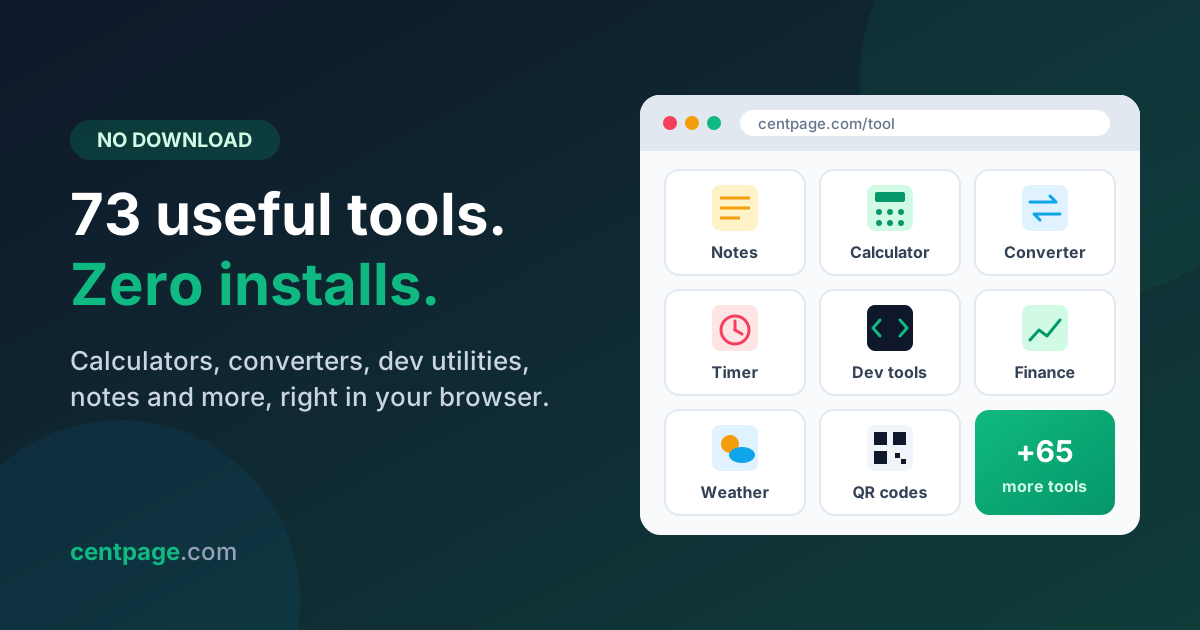
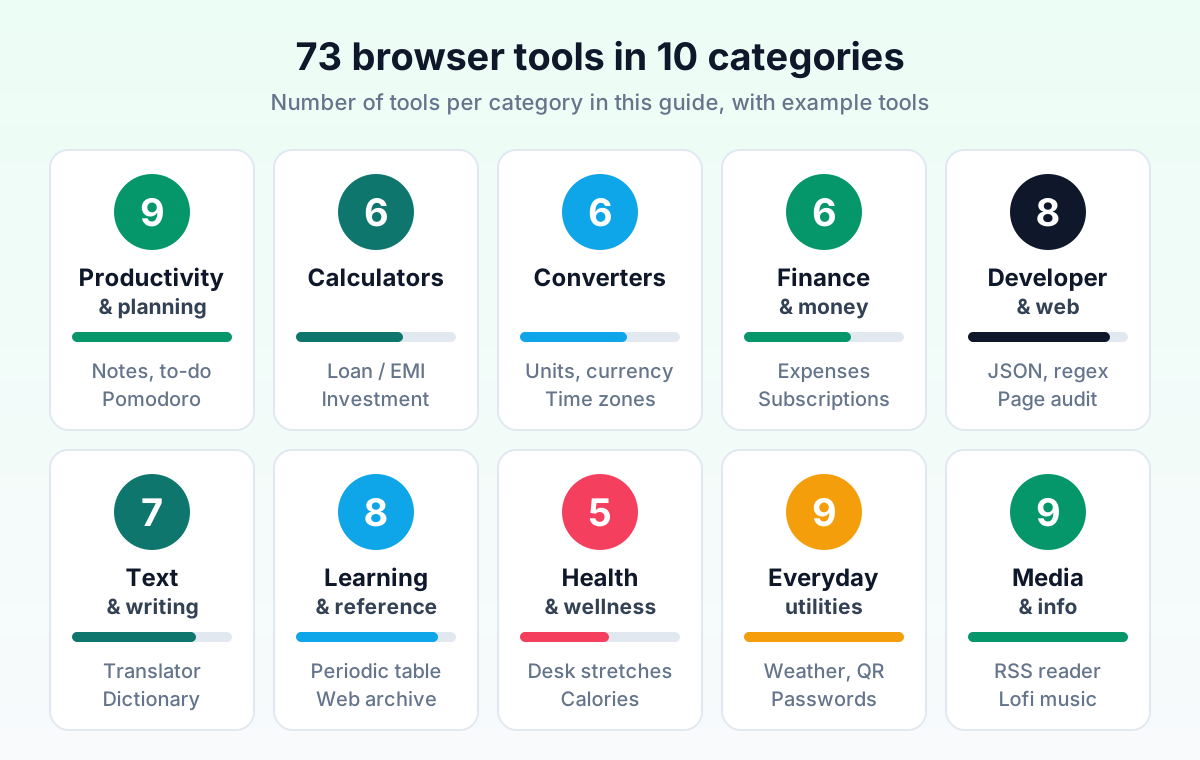
- This reference list groups 73 online tools into 10 categories, with a direct link to a free tool page wherever one exists.
- Browser tools work on any device, stay updated automatically and avoid the disk, RAM and permission clutter of installed apps.
- Never paste passwords, API keys or private documents into an unknown online tool; prefer tools that process data in your browser.
- Keeping your most-used utilities on one dashboard beats maintaining dozens of scattered bookmarks.
You need to convert 72°F to Celsius, split a dinner bill, or check whether a JSON snippet is valid. Five years ago, each of those jobs might have meant finding, downloading and trusting a small app. Today every one of them takes seconds in a browser tab.
The problem is no longer whether a tool exists online. It's finding a good one quickly, remembering where it was next time, and knowing which ones are safe to use. That is what this page is for.
Below is a reference catalog of 73 useful browser tools in 10 categories, from calculators and converters to developer utilities and wellness helpers. Each table tells you what the tool does and where to try it. If you want deeper reviews of the top picks, our guide to the best browser productivity tools covers ten categories in detail; this article is about breadth.
How to use this list of free online tools
Every tool here runs in a normal browser tab with no download. The "Try it" column links to a free standalone tool page on CentPage where one exists. For tool types CentPage doesn't offer, such as PDF merging or regex testing, we describe what to look for and mark it as "Any reputable web tool."
A few conventions before you dive in:
- Bookmark the category, not every tool. You'll use two or three tools per category regularly; the rest are there when you need them.
- Tool pages work on their own. You don't need an account to open a /tool page, though signing in lets you keep your data across devices.
- Some links are companion extensions. A few developer and research tools need deeper page access than a web page can offer, so they are small browser extensions from the same team rather than websites.
Productivity and planning tools in your browser
These are the tools most people open daily: somewhere to jot a thought, track tasks and protect focus time.
| Tool | What it does | Try it |
|---|---|---|
| Sticky notes / notepad | Quick scratchpad for ideas, meeting notes and snippets that saves automatically | Notepad |
| To-do list | Simple task list with check-off, good for daily priorities | To-do list |
| Calendar | Month view for dates, deadlines and planning ahead | Calendar |
| Habit tracker | Tracks daily streaks for habits like reading, exercise or journaling | Habit tracker |
| Pomodoro timer | 25/5 focus and break cycles to beat procrastination | Pomodoro |
| Link list | A small, named list of links you need this week | Link list |
| Clock and countdown timer | Countdown for meetings, cooking or timed tasks | Clock and timer |
| Stopwatch | Measures how long a task actually takes | Stopwatch |
| Time zone meeting planner | Finds overlapping working hours across several cities | Any reputable web tool |
Pro tip: A Pomodoro timer plus a to-do list covers most of what paid focus apps do. Pick your top three tasks, start a 25-minute timer, and only check off items when the timer rings.
Online calculators for money, dates and everyday math
A general calculator handles arithmetic; specialized calculators save you from building a spreadsheet for common questions.
| Tool | What it does | Try it |
|---|---|---|
| Calculator with history | Standard calculator that keeps a running history of results | Calculator |
| Loan, EMI and tax calculator | Works out monthly EMIs, total interest and tax estimates | Loan calculator |
| Investment growth calculator | Compound interest, SIP, ROI and FIRE projections | Investment growth |
| Percentage calculator | Percent change, discounts and "X is what percent of Y" | Any reputable web tool |
| Date and age calculator | Days between dates, exact age, deadlines counted in working days | Any reputable web tool |
| Tip and bill splitter | Splits a bill with tip among any number of people | Any reputable web tool |
Online converters: units, currency, time and files
Converters are the classic "I need this once a month" tool, which is exactly why installing an app for them makes little sense.
| Tool | What it does | Try it |
|---|---|---|
| Unit converter | Length, weight, temperature, volume, speed and more | Unit converter |
| Currency converter | Converts between world currencies at current rates | Currency converter |
| Number base converter | Binary, octal, decimal and hexadecimal conversion | Developer toolbox |
| World clock / time zone converter | Shows the current time in multiple cities side by side | World clock |
| Document format converter | Converts between formats like DOCX, PDF and plain text | Any reputable web tool |
| Image format converter | Converts PNG, JPG, WebP and similar formats | Any reputable web tool |
Finance and money tools you can use online
Personal finance tools benefit most from living in the browser: you check them often, from different devices, for a few seconds at a time. For a wider set of finance sites, the CentPage finance category collects banking, markets and budgeting links in one table.
| Tool | What it does | Try it |
|---|---|---|
| Expense tracker | Logs daily spending by category so you see where money goes | Expense tracker |
| Subscription manager | Lists recurring subscriptions and their renewal dates | Subscription manager |
| Stock market indices | Quick view of major market indices | Stock market |
| Crypto prices | Current prices for popular cryptocurrencies | Crypto prices |
| Precious metal prices | Gold, silver and other metal prices at a glance | Precious metals |
| Monthly budget planner | Template for planning income against fixed and variable costs | Any reputable web tool |
Try it: Every tool linked above also works as a widget on your own dashboard, so the ones you use daily sit on your new tab page. Open CentPage in your browser to try it, or add the CentPage extension for Chrome or Firefox.
Developer utilities online: formatters, testers and page inspectors
Developers juggle dozens of tiny utilities. Most are pure input-output transformations that work perfectly in a browser tab. Page-level work like inspecting or auditing a live site needs an extension, because a normal web page can't reach into other sites.
| Tool | What it does | Try it |
|---|---|---|
| Developer toolbox | Markdown preview, base conversion and other quick dev helpers | Developer toolbox |
| JSON formatter and validator | Pretty-prints JSON and flags syntax errors | Any reputable web tool |
| Regex tester | Tests regular expressions against sample text with live matches | Any reputable web tool |
| Base64 and URL encoder/decoder | Encodes and decodes strings for APIs and query parameters | Any reputable web tool |
| Color picker | Grabs colors from any page element | WebDeveloperTools.dev |
| Page inspector and element outliner | Outlines and inspects the structure of any web page | WebDeveloperTools.dev |
| Page audit | Checks a page for common SEO, accessibility and markup issues | WebDeveloperTools.dev |
| Device and browser info | Shows your browser, OS, screen size and related details | Device info |
WebDeveloperTools.dev is a companion Chrome extension from the same team as CentPage. It bundles 500+ web development tools for inspecting, outlining, editing and auditing any page, which replaces a long list of single-purpose dev bookmarks.
Pro tip: For JSON, regex and encoding tools, prefer ones that state they run entirely in your browser. You'll often paste real API responses, and those can contain tokens or customer data.
Text and writing tools online
Writers, students and anyone who sends email benefit from a small set of text utilities.
| Tool | What it does | Try it |
|---|---|---|
| Text formatter | Changes case, trims spaces and cleans up pasted text | Text formatter |
| Language translator | Translates words and passages between languages | Translator |
| Dictionary | Definitions, pronunciation and usage examples | Dictionary |
| AI assistant chat | Drafts, rewrites and answers quick questions | AI chat |
| Word and character counter | Counts words, characters and reading time | Any reputable web tool |
| Grammar and spell checker | Flags spelling, grammar and punctuation issues | Any reputable web tool |
| Typing speed test | Measures words per minute and accuracy | Typing test |
Learning and reference tools for curious minds
Small daily learning tools are easy wins: a minute here and there adds up. The CentPage learn category lists popular course and reference sites if you want to go deeper.
| Tool | What it does | Try it |
|---|---|---|
| Word of the day | One new word with meaning and usage each day | Word of the day |
| Daily fact | A short, surprising fact to start the day | Daily fact |
| Interactive periodic table | Explore elements and their properties | Periodic table |
| On this day | Historical events that happened on today's date | On this day |
| NASA astronomy picture of the day | Daily space image with an explanation | Astronomy picture |
| Daily AI tips | A practical AI tip or prompt idea each day | AI tips |
| YouTube video summarizer | Summarizes long YouTube videos with AI | SummaryTube |
| Web archive viewer | Views archived versions of pages and recovers dead links | Web Archive Viewer |
Two of these are companion extensions from the same team. SummaryTube adds AI summaries directly on YouTube, handy when a 40-minute tutorial has three minutes you need. Web Archive Viewer opens historical snapshots of a page, which helps when a reference link you saved has disappeared.
Health and wellness tools in your browser
If you sit at a screen all day, a few lightweight health tools pay off quickly.
| Tool | What it does | Try it |
|---|---|---|
| Personal health tracker | Logs water, sleep, weight and similar daily metrics | Health tracker |
| Desk wellness coach | Reminds you to stretch and rest your eyes | Desk wellness |
| Calorie lookup | Looks up approximate calories for common foods | Calorie lookup |
| Noise level monitor | Uses your microphone to estimate ambient noise | Noise monitor |
| BMI calculator | Calculates body mass index from height and weight | Any reputable web tool |
Everyday online utilities worth bookmarking
These are the "where was that site again?" tools: weather, QR codes, passwords, file fixes.
| Tool | What it does | Try it |
|---|---|---|
| Weather | Current conditions, hourly and 5-day forecast | Weather |
| Air quality index | Local AQI and pollution levels | Air quality |
| Sun and moon | Sunrise, sunset, golden hour and moon phase | Sun and moon |
| QR and barcode generator | Creates QR codes and barcodes for links, text or Wi-Fi | QR generator |
| Password generator | Generates strong passwords and checks their strength | Password generator |
| Internet speed test | Measures download speed and connection quality | Speed test |
| Image compressor | Shrinks image file size for email or upload | Any reputable web tool |
| PDF merger and splitter | Combines PDFs or extracts pages | Any reputable web tool |
| Screen recorder | Records a tab or screen for quick walkthroughs | Any reputable web tool |
Media, news and entertainment tools online
Finally, tools for catching up and winding down, without a separate app for each feed.
| Tool | What it does | Try it |
|---|---|---|
| RSS news reader | Follows your chosen sites and blogs in one feed | RSS reader |
| Tech news | Latest technology headlines | Tech news |
| YouTube feed | Recent videos from channels you choose | YouTube feed |
| Movies and OTT radar | Upcoming releases in theaters and on streaming | Movies radar |
| Smart recommender | Suggests movies and books to try next | Recommender |
| Daily recipe | A new recipe idea each day | Daily recipe |
| Lofi music player | Background music for focus sessions | Lofi player |
| Daily jokes | A quick laugh between tasks | Daily jokes |
| Motivational quotes | A fresh quote each day | Quotes |
That's 73 tools across 10 categories. You can browse even more curated utility sites in the CentPage tools category.
Why use browser tools instead of installing single-purpose apps?
Installing an app for every small job made sense when browsers were slow. Today, the trade-off usually favors the web:
- Nothing to install or approve. Useful on work laptops, school computers and shared machines where you can't install software.
- Works on every device. The same tool opens on your laptop, a colleague's PC or your phone.
- Always up to date. You get the latest version every time you load the page, with no update prompts.
- Less clutter. No background processes, startup items or forgotten apps eating disk space and RAM.
- Easy to switch. If a tool disappoints, you close the tab. No uninstall, no leftover files.
Installed software still wins for heavy, offline or professional work: large video projects, complex design files, or anything you need on a plane. For the quick jobs in this list, a browser tab is the lighter option.
Are online tools safe? A quick safety checklist
Free online tools are convenient, but anything you paste into a web page is data you're handing over. Use these rules of thumb:
- Never paste secrets. Passwords, API keys, private keys, bank details and ID numbers don't belong in random web tools.
- Prefer client-side tools. Many formatters and converters say they process data in your browser and never upload it. For sensitive text, choose those.
- Check the domain. Look for HTTPS and the exact spelling of the site name. Lookalike domains are a common trick.
- Be careful with file uploads. For private PDFs or photos, use a tool you trust or an offline alternative.
- Watch what extensions can access. Before installing an extension, read the permissions it requests and install only what you'll actually use.
- Avoid "download our app" detours. If a web tool pushes you to install an unknown executable to finish the job, close the tab.
Why keep your online tools in one place instead of 30 bookmarks
A catalog like this has a catch: if you bookmark 30 tools, you've just created a new problem. Bookmark folders become a maze, you forget what you saved, and you end up searching for "unit converter" again anyway.
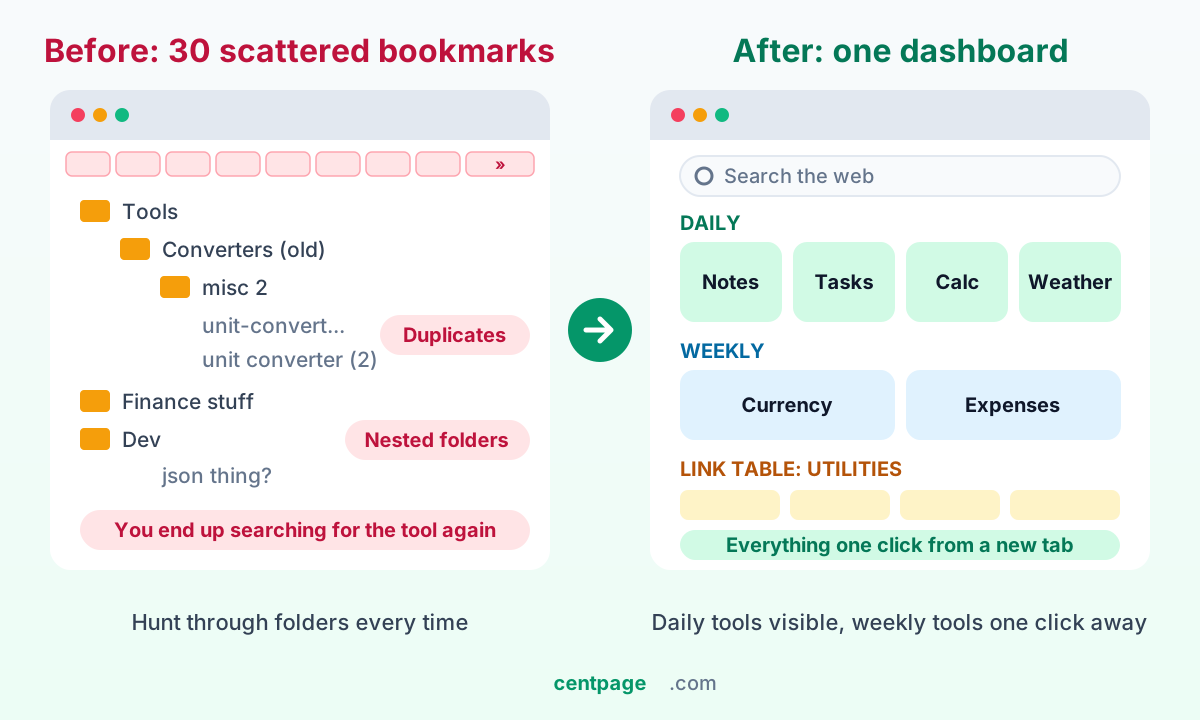
The fix is to separate tools by how often you use them:
- Daily tools (notes, tasks, calculator, weather, timer) should be visible the moment you open a browser, as widgets on your start page.
- Weekly tools (currency converter, expense tracker, QR generator) belong one click away, in a named link table or as secondary widgets.
- Occasional tools (PDF merger, regex tester, BMI calculator) can live in this article or a single "Utilities" bookmark.
This is where a dashboard earns its keep. On CentPage, the widgets behind most of the /tool pages above can sit on your homepage, next to your own link tables and a multi-engine search bar, so your new tab becomes a toolbox instead of a blank page. Our walkthrough on building a productivity dashboard shows example layouts for professionals, developers and students.
If you're still deciding where that dashboard should live, the start page setup guide explains homepages, new tabs and speed dials in each browser. And to avoid turning your dashboard into a new kind of clutter, our roundup of which new-tab widgets are actually worth it helps you pick a sensible handful.
Build your own browser toolbox
You don't need 73 tools. You need the eight or ten you reach for every week, somewhere you can't lose them. Pick them from the tables above, try each tool page once, and keep the ones that stick.
When you're ready to put them all on one screen, open CentPage and add your favorites as widgets, or read our full CentPage overview to see how search, bookmarks and widgets fit together on your new tab.
Frequently Asked Questions
Are free online tools safe to use without installing anything?
Most reputable online tools are safe for everyday tasks like converting units or formatting text. The main risk is what you paste into them, so avoid entering passwords, API keys, financial details or confidential documents into tools you do not trust. Check the domain, look for HTTPS and prefer tools that process data locally in your browser.
What is the difference between a browser tool and a browser extension?
A browser tool is a web page you open in any browser, with nothing to install. A browser extension is a small add-on installed into the browser that can change pages or add features across sites. Extensions are useful for tasks that need deeper page access, while web tools are best for quick, standalone jobs.
Can online tools replace desktop apps completely?
For many everyday jobs such as notes, calculators, converters, timers and text formatting, yes. Heavy workloads like professional video editing, large design files or offline work still suit desktop software better. A practical approach is to use web tools for quick tasks and keep installed apps only for work that genuinely needs them.
How do I keep all my favorite online tools in one place?
Instead of saving dozens of bookmarks, put your most-used tools on a start page or new tab dashboard. A dashboard like CentPage lets you add widgets such as a calculator, notes and a currency converter next to your saved links, so every tool is one click away when you open a new tab.
Do browser tools work on phones and tablets?
Most modern online tools are responsive and work in mobile browsers without an app. Your experience depends on the specific tool, since some developer utilities are designed for larger screens. Tools tied to an account also keep your data in sync, so you can pick up on a phone where you left off on a laptop.
Why use an online calculator or converter instead of the one built into my computer?
Built-in apps are fine for basic arithmetic, but online calculators are often specialized, for example loan EMIs, compound interest or live currency rates. They also work on any device you sign in to, including shared or work computers where you cannot install software.
Tags:#Online Tools#Browser Tools#Free Online Tools#Web Utilities#Online Calculators#Developer Tools#No Download Tools#Productivity
More from the CentPage Blog
Productivity
10 Best Browser Productivity Tools (No Download Needed)
The 10 best browser productivity tools, from quick notes and to-do lists to focus timers and converters, plus how one dashboard cuts context switching.
11 min readRead →
Guides
How to Create a Productivity Dashboard for Work and Study
Learn how to create a productivity dashboard in 6 steps, with ready-made setups for professionals, developers and students you can copy into your browser today.
10 min readRead →