Productivity•8 min read•
How to Use the Pomodoro Technique in Your Browser
Learn the Pomodoro Technique, run 25-minute focus sessions right in your browser, and adapt the method for coding, studying and meetings-heavy days. Includes a free online Pomodoro timer.
Key Takeaways
- The Pomodoro Technique alternates 25 minutes of focused work with a 5-minute break, and a longer break after four rounds.
- Write down the single task for each Pomodoro before you start the timer.
- Keeping the timer on your new tab means you see it every time you’re tempted to open something else.
- Adjust the lengths to your work: 50/10 for deep coding or writing is common; the structure matters more than the numbers.
Some days, the browser is where focus goes to die. You open a tab to look something up, notice a notification, check one more thing, and an hour has gone. The Pomodoro Technique is one of the simplest ways to take that hour back, and it works especially well when the timer lives in the browser itself.
What is the Pomodoro Technique?
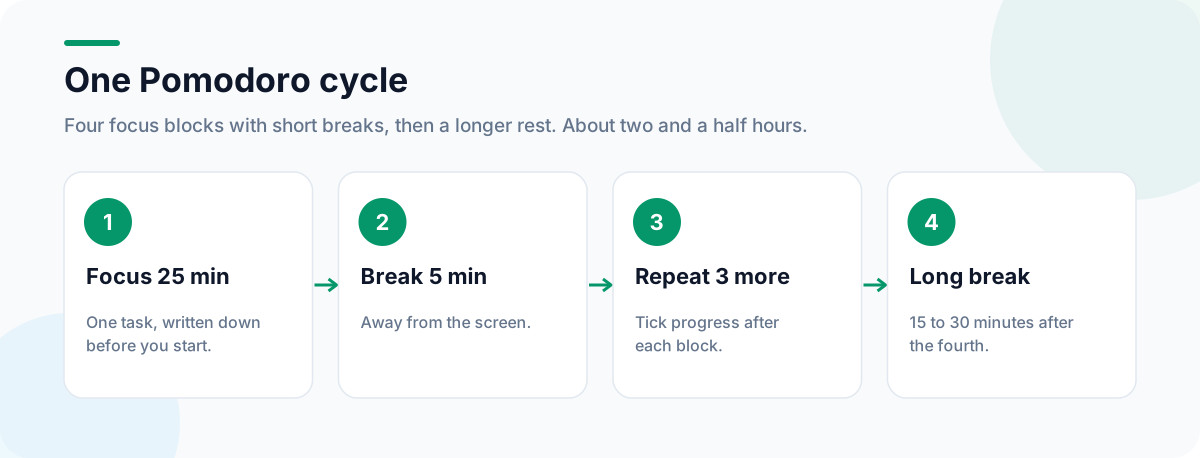
Developed by Francesco Cirillo in the late 1980s, the method is deliberately simple:
- Choose one task.
- Set a timer for 25 minutes and work only on that task.
- When it rings, take a 5-minute break.
- After four Pomodoros, take a longer 15–30 minute break.
It works because it turns an open-ended stretch of work into a short block with a clear end. “Work on the report until it’s done” is daunting; “work on the report for 25 minutes” isn’t. And knowing a break is coming makes it easier to postpone distractions until then.
Why run your timer in the browser
A timer on your phone is one more device to pick up, and picking up your phone is where focus usually breaks. A timer on your new tab is different: every time you reflexively open a new tab, the countdown is the first thing you see, a gentle reminder of what you committed to.
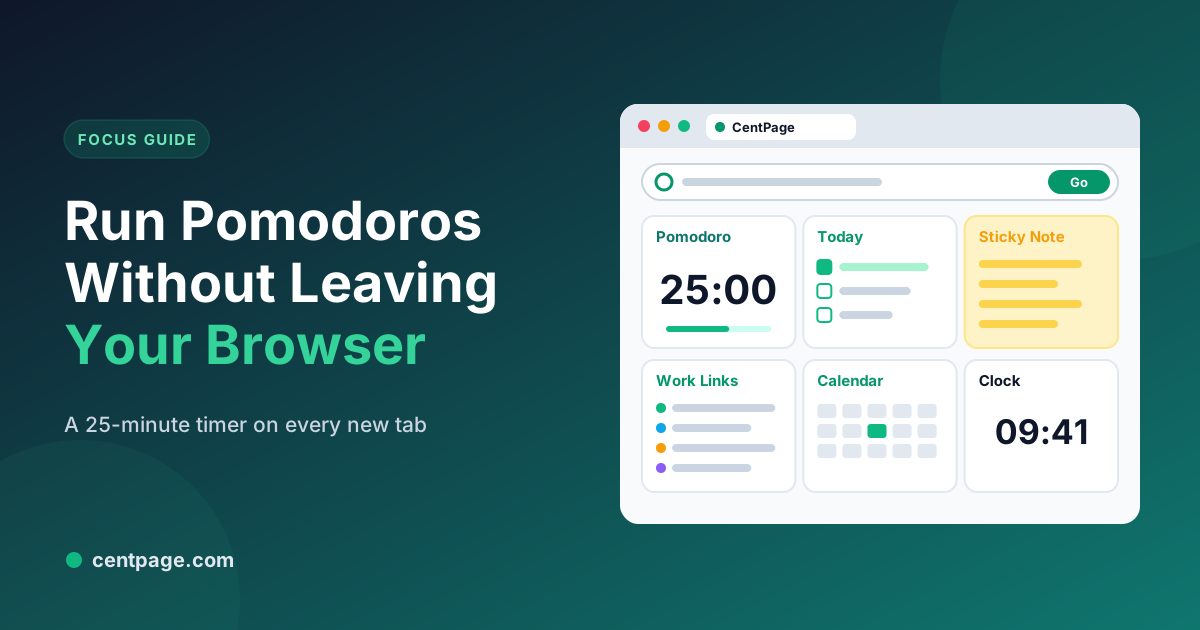
In CentPage, the Pomodoro Timer is one of the free widgets. Add it to your new tab dashboard next to a To Do List and Sticky Notes, and your focus session, today’s tasks and a place to park stray thoughts are all on the same page. You can also open the Pomodoro timer as a standalone page without installing anything.
How to run your first Pomodoro
- Write the task down. One line, specific: “Draft the introduction”, not “Work on report”.
- Close what you don’t need. Close unrelated tabs, or save them as a session with Super Session Manager so you can bring them back later.
- Start the timer and work until it rings.
- Capture distractions. When something pops into your head, write it on a sticky note and keep going.
- Take the break. Properly: away from the screen.
- Tick the task or note how far you got, then start the next Pomodoro.
Adapting the method to your work
| Work style | Suggested rhythm | Tip |
|---|---|---|
| Writing, coding, design | 50 minutes on, 10 off | Deep work needs longer to warm up |
| Studying | 25 on, 5 off | Use breaks to test yourself from memory |
| Admin and email | 25 on, 5 off | Batch all email into one or two Pomodoros |
| Meeting-heavy days | One or two Pomodoros between meetings | Protect them in your calendar |
The numbers are a starting point. What matters is the structure: a defined block, one task, a real break.
Common pitfalls
- Skipping breaks. It feels productive for an hour and costs you the afternoon.
- Vague tasks. If you can’t say what “done” looks like for this Pomodoro, narrow the task.
- Too many widgets. A timer, a task list and a notepad are enough. A news feed next to your timer defeats the point; see our distraction-free browser setup.
- Interruptions. If someone interrupts, either postpone them politely until the break or abandon the Pomodoro and start a fresh one later.
Pair it with a daily plan
The Pomodoro Technique answers how to work; a daily plan answers on what. Spend five minutes each morning picking three priorities and estimating how many Pomodoros each needs. Our guide to daily planning with a new tab dashboard walks through that routine, and students will find a ready-made layout in the study dashboard guide.
For focus music during a session, CentPage Premium adds a Lofi Music widget; for everything else, our list of free browser widgets worth adding helps you choose what else (if anything) belongs on the page.
Frequently Asked Questions
What is the Pomodoro Technique?
It’s a time management method developed by Francesco Cirillo: work on one task for 25 minutes, take a 5-minute break, and after four of these rounds take a longer break of 15 to 30 minutes. Each 25-minute block is called a Pomodoro.
Do I have to use exactly 25 minutes?
No. Twenty-five minutes is the classic length and a good starting point, but many people prefer 45 or 50 minutes for deep work. Keep the pattern of focused blocks and real breaks, and adjust the lengths to suit you.
What should I do during the breaks?
Step away from the screen: stand up, stretch, get water or look out of a window. Checking messages or social media during a break tends to pull you into something longer than five minutes.
Is there a free Pomodoro timer I can use without installing anything?
Yes. CentPage’s Pomodoro timer works as a standalone page on centpage.com, and the same timer is available as a free widget on your CentPage new tab.
Tags:#Pomodoro Technique#Pomodoro Timer Online#Focus Timer#Time Management#Deep Work#Study Timer
More from the CentPage Blog
Productivity
How to Build a Distraction-Free Browser Setup (Step by Step)
Build a distraction-free browser: remove feeds, notifications and clutter, set up a clean new tab, and use focus sessions to stay on task. 10 practical steps.
11 min readRead →
Productivity
A 5-Minute Daily Planning Routine You Can Run From Your New Tab
Plan your day in five minutes each morning: pick three priorities, block time for them and keep them in front of you on every new tab. A practical routine with a dashboard layout to copy.
8 min readRead →