Productivity•8 min read•
A 5-Minute Daily Planning Routine You Can Run From Your New Tab
Plan your day in five minutes each morning: pick three priorities, block time for them and keep them in front of you on every new tab. A practical routine with a dashboard layout to copy.
Key Takeaways
- Spend five minutes each morning choosing no more than three priorities for the day.
- Give each priority a time block, and do the most important one first.
- Keep the plan visible: tasks and a calendar on your new tab beat a list you never reopen.
- End the day with a two-minute review that seeds tomorrow’s plan.
A plan you write once and never look at again is a wish. A plan you see every time you open a new tab is a commitment. This routine takes five minutes in the morning, two in the evening, and puts your priorities exactly where your attention goes all day: the browser.
The routine at a glance
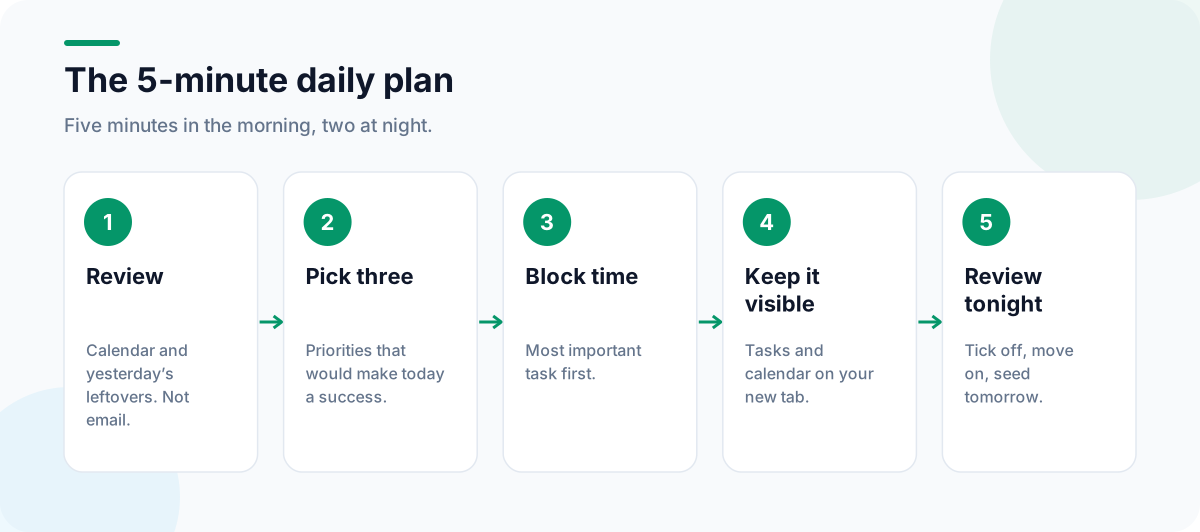
1. Review (1 minute)
Look at your calendar for fixed commitments (meetings, deadlines, appointments) and at yesterday’s unfinished tasks. Don’t open email yet; that’s how five minutes becomes forty.
2. Choose up to three priorities (2 minutes)
Ask: “If I only finish these, will today have been a good day?” Write down one to three tasks that pass that test. Make each one concrete enough to start without thinking: “Send the proposal draft to Anna”, not “Proposal”.
Everything else goes on a separate, shorter “if time” list, or into tomorrow.
3. Block time for them (1 minute)
Give each priority a slot in your day, ideally the most important one first, before meetings and messages take over. If a priority needs more than two hours, split it into blocks. Pomodoros work well here: our guide to the Pomodoro Technique in your browser shows how to estimate and run them.
4. Keep the plan visible (1 minute)
This is where most plans fail: they live in a notebook or an app you don’t reopen. Put them on your new tab instead.
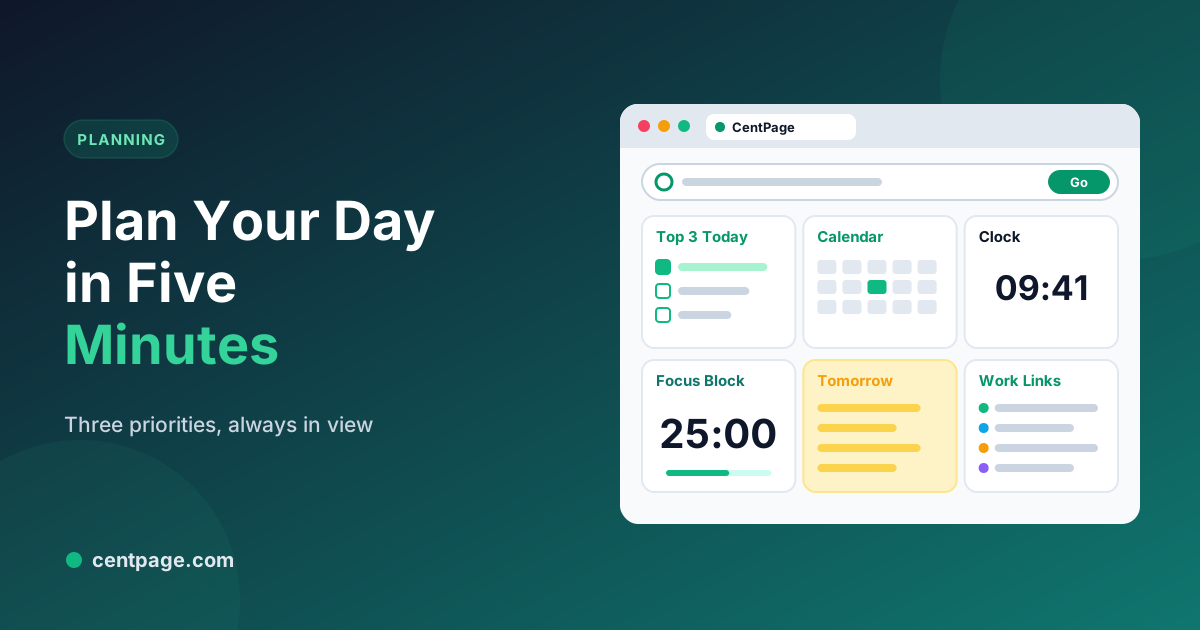
In CentPage, a simple planning layout uses free widgets:
| Widget | Use it for |
|---|---|
| To Do List | Today’s one to three priorities at the top |
| Calendar | Fixed commitments and deadlines |
| Clock & Timer | Keeping an eye on time blocks |
| Pomodoro Timer | Running focus sessions |
| Sticky Notes | Parking stray ideas so they don’t derail you |
Add a custom table with the links for today’s work, and every new tab becomes a reminder of what you decided to do. Install CentPage for Chrome or Firefox, or design your own layout with our guide to building a productivity dashboard.
5. End-of-day review (2 minutes)
- Tick off what you finished.
- Move unfinished priorities to tomorrow, or drop them deliberately.
- Write tomorrow’s first task on a sticky note so you start without deciding.
- Save open research tabs as a session with Super Session Manager and close the rest, so tomorrow starts clean.
Common mistakes
- Planning too much. Three priorities is a ceiling, not a target.
- Starting with email. Messages set your priorities for you. Do the first block first.
- No buffer. Leave gaps between blocks for the things that always come up.
- Skipping the evening review. It’s what makes the next morning take five minutes instead of twenty.
Make it a habit
Tie the routine to something you already do, such as your first coffee or opening the laptop. After a couple of weeks it becomes automatic. If you work remotely across time zones, our remote work browser setup adds a world clock and a few other tools that help, and our guide to taking quick notes in your browser makes the evening review even faster.
Frequently Asked Questions
How many tasks should I plan for one day?
Pick one to three priorities that would make the day a success, plus a short list of small tasks if you have time. Long lists feel productive to write but usually leave most items unfinished.
What is time blocking?
Time blocking means assigning each task a specific slot in your calendar, such as 9:00 to 10:30 for writing. It turns a to-do list into a schedule and protects your priorities from meetings and messages.
Should I plan in the morning or the night before?
Either works. Planning the evening before means you start the day with a decision already made; planning in the morning lets you react to anything that changed overnight. Many people do a quick review in the evening and confirm the plan in the morning.
Which CentPage widgets help with daily planning?
To Do List, Calendar, Sticky Notes, Clock & Timer and Pomodoro Timer are all free. Premium adds widgets such as the Habit Tracker for routines you want to keep.
Tags:#Daily Planning#Daily Planner#To Do List#Time Blocking#Morning Routine#Productivity Dashboard
More from the CentPage Blog
Guides
How to Create a Productivity Dashboard for Work and Study
Learn how to create a productivity dashboard in 6 steps, with ready-made setups for professionals, developers and students you can copy into your browser today.
10 min readRead →
Productivity
How to Use the Pomodoro Technique in Your Browser
Learn the Pomodoro Technique, run 25-minute focus sessions right in your browser, and adapt the method for coding, studying and meetings-heavy days. Includes a free online Pomodoro timer.
8 min readRead →